


When working with complex drawings in LusoCAD, it is common to deal with external references, images and blocks that contain more information than is necessary for a particular view. In these cases, controlling the visibility of elements becomes essential. The command CLIPIT allows you to trim specific parts of these objects, improving organisation, clarity, and drawing performance.
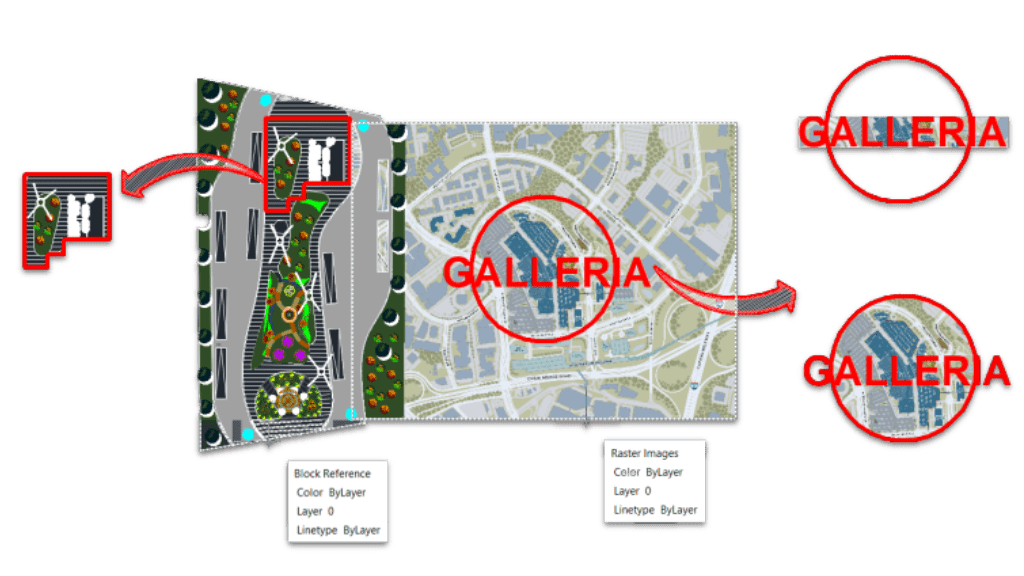
O que é o comando CLIPIT?
The command CLIPIT in LusoCAD 2023 is used for To clip Xrefs (external references) and images using lines and curves as boundaries.
Functionality CLIPIT allows to hide or remove specific parts of:
- Blocks
- Xref Drawings
- Images
- Wipeout-type objects
This is done by defining clipping boundaries based on different types of entities, such as:
- Polylines
- Splines
- Circles
- Arcos
- Ellipses
- Text
- Multiline text
- Attribute definitions
Furthermore, it is possible to define the maximum error tolerance for the resolution of curved segments, ensuring greater precision in the clipping.
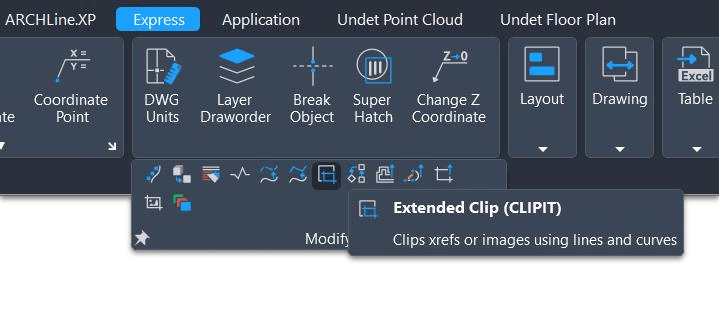
How to Access the CLIPIT Command
You can access the command in two ways:
Through the menu:
Express > Modify > Extended ClipOr entering it on the command line:
CLIPIT
After activating the command, you can select the object and define the clipping boundaries as needed.
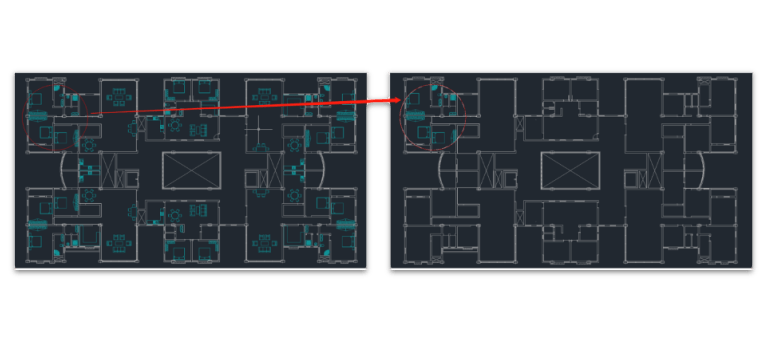
How CLIPIT Works
The command allows setting a clipping boundary which determines which parts of the object remain visible.
You can use different shapes to create this border, such as curves or geometric elements, easily adapting to any type of design.
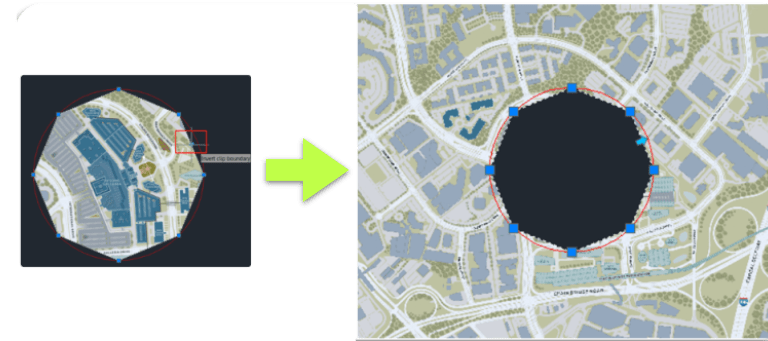
Invert Clip
After applying the clip, it is also possible to invert the visible area:
- Select the clipping boundary
- Click on “Invert clipping boundary”
This option swaps the visible area for the hidden area, allowing for greater flexibility in controlling the display.
Explanation of Technical Terms
For better understanding, here are some important concepts:
Xref (External Reference):
An external drawing file linked to the current file. It allows you to work with multiple drawings without overloading a single file.Bloco:
A set of objects grouped into a single reusable entity within the drawing.Polyline:
A composite entity made up of several connected line and/or arc segments.Spline:
A smooth curve defined mathematically, used for complex shapes.Wipeout:
An object that hides parts of the drawing, creating a visual mask.Clipping Boundary:
The clip plane that determines which part of the object is visible and which is hidden.MTEXT:
Multiline text, used for more complex notes with formatting.
Conclusion
The command CLIPIT It is a powerful tool in LusoCAD for controlling the visibility of elements in complex drawings. By allowing parts of Xrefs, images, and blocks to be cropped with great precision, it helps to improve the organisation and presentation of projects.
By mastering this command and understanding the associated concepts, you will be able to work more efficiently, reduce visual clutter, and create clearer, more professional drawings.

 English
  Portuguese
  Spanish