

When working on technical drawings, it's natural for geometry to undergo changes throughout the project. A wall might move, a part could be resized, or a detail may be adjusted. In these instances, we expect the dimensions to automatically keep pace with these modifications.
As with other important system variables — such as the PICKADD, which controls how objects are added to selection sets, or the TRIMEXTENDMODE, which defines the behaviour of the TRIM and EXTEND commands — DIMASSOC is a fundamental variable to ensure the drawing behaves as expected.
An incorrect DIMASSOC setting can lead to dimensions that no longer reflect the actual geometry, forcing manual updates and increasing the risk of design errors. Fortunately, understanding its three operating modes is enough to avoid this type of problem.
What is DIMASSOC?
The system variable:
Association of Associations
controls the degree of association between the shares and the objects they measure.
In simple terms, determine if a quote:
- It is made up of independent elements
- It is grouped as a single object
- It is entirely associated with the geometry of the drawing
When a dimension is correctly associated, any change to the dimensioned object automatically updates:
- The share value
- The position of the dimension line
- The orientation of the dimension
This significantly reduces manual work and contributes to the accuracy of the drawing.
How to Check the Current Value
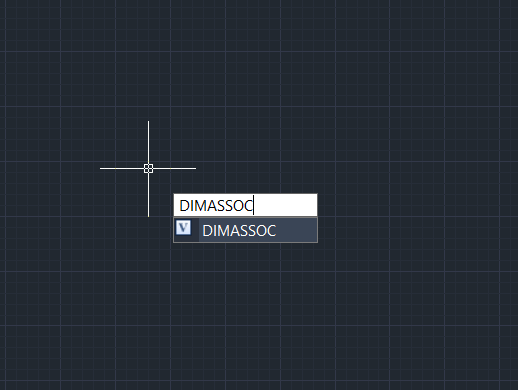
On the command line, type:
and press Enter.
LusoCAD will display the current value of the variable and allow you to enter a new one if necessary.
Valor 0: Exploded Views
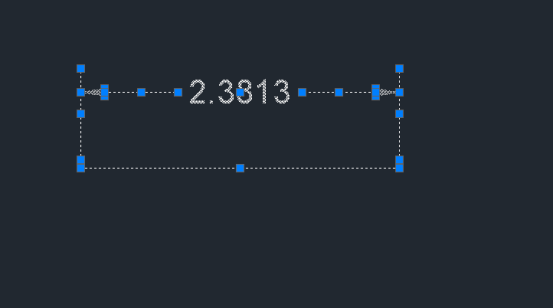
In this mode, there is no association between the elements of the quote.
Each component is created as an independent object:
- Quote text
- Extension lines
- Dimension lines
- Mushrooms
This means that each element can be edited separately.
What happens in practice?
If only the text of the quote is moved, the remaining components stay in their original position.
If the associated geometry is changed, the dimension value will not be updated.
When to use?
Currently, this mode is rarely used and is normally only for specific editing situations or compatibility with old drawings.
Limitations
- There is no automatic update
- Greater risk of inconsistencies
- More time spent on drawing maintenance
Value 1: Non-associative dimensions
DIMASSOC = 1
In this mode, all elements of the dimension are grouped into a single object.
Unlike the value 0, the quota behaves as a single entity.
What improves?
- The text, lines and arrows remain grouped
- Changes to the quote's own components remain synchronised
What is still missing?
There is no connection to geometry.
For example:
- Create a one-line quote
- The line measures 5 metres
- The mark shows 5 metres
If you subsequently change the line to 7 metres, the dimension will continue to show the original value.
When to use?
This mode can be useful in imported drawings or in situations where you do not want the dimensions to be updated automatically.
Value 2: Associative Fees
This is the recommended configuration for most projects.
In this way, the dimension is completely associated with the measured objects.
How does it work?
When creating a dimension using object snaps, LusoCAD establishes a link between the dimension and the geometry.
If the object is altered:
- The unit value is recalculated
- The dimension location is adjusted
- The orientation is updated automatically
Practical example
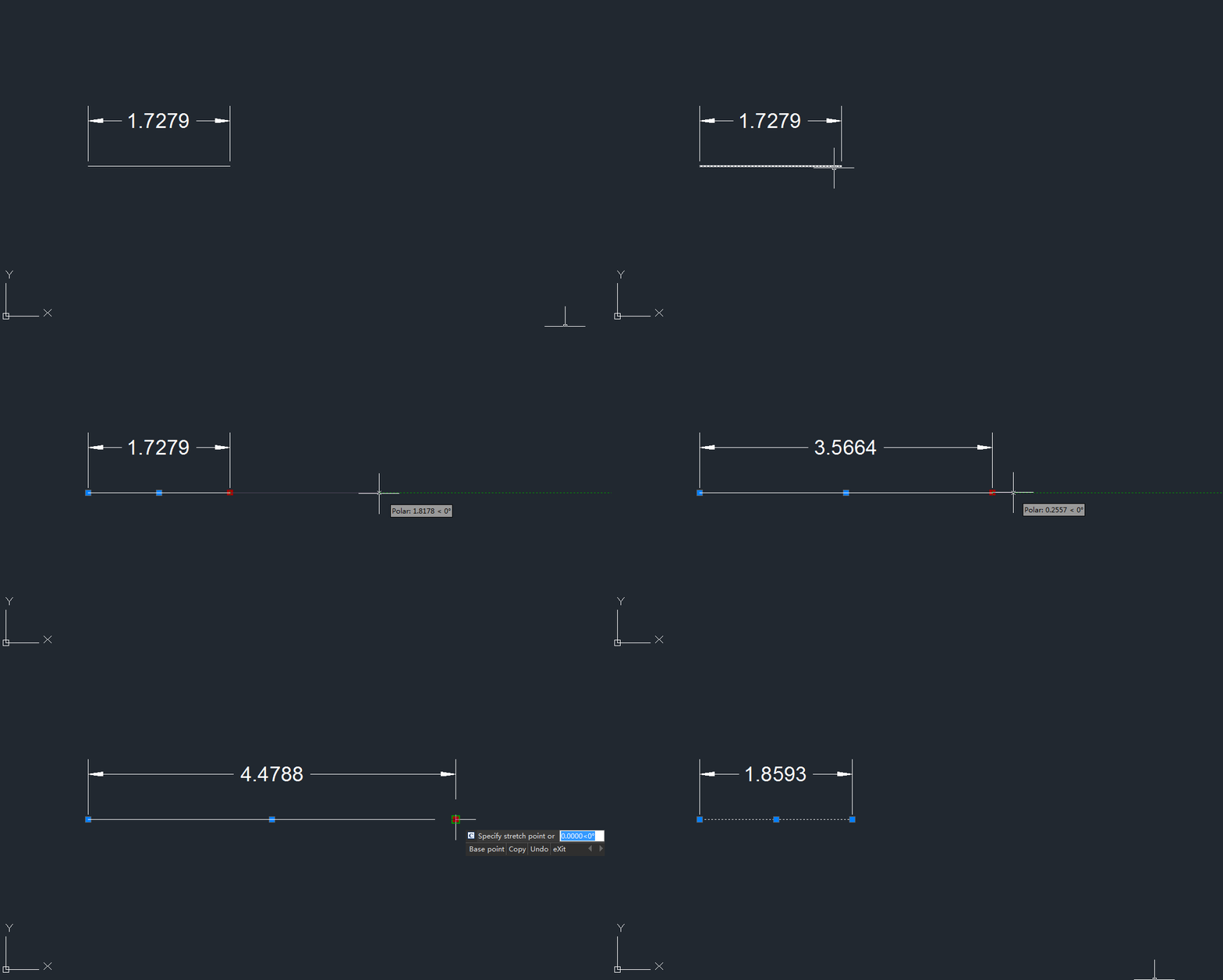
Imagine a wall initially drawn at 4 metres.
When creating an associative dimension:
The marking correctly shows the 4 metres.
Later, use the command:
STRETCH
to increase the wall to 5 metres.
The quota is updated automatically without any manual intervention.
Advantages
- Fewer documentation errors
- Automatic updates
- Greater productivity
- Better coordination between drawing and annotation
For these reasons, it is the mode used in most professional workflows.
How to know if a quota is associated
A drawing received from a third party does not always use the same DASSOC configuration.
Some signs that the quota is not associated include:
- The value does not change when the geometry is altered
- The dimension appears correct visually but has outdated dimensions.
- There are separate dimension elements when selecting it
Whenever you identify these situations, it's worth checking the DIMASSOC variable and testing the behaviour of existing dimensions.
Best Practices When Working with Quotas
Use Object Snaps
When creating dimensions, use precise snap points to ensure correct association with the geometry.
Check the DIMASSOC in New Projects
Before starting a drawing, please confirm:
DIMASSOC = 2
This prevents future problems.
Pay Attention to Old Drawings
Some files created in earlier versions of CAD software may contain non-associative or partially exploded dimensions.
In these cases, it may be necessary to recreate certain dimensions to benefit from automatic updates.
Listen to Files with Problems
If you notice any strange behaviour, use tools such as:
AUDIT
to verify the integrity of the drawing.
Quick comparison
| Courage | Behaviour | Recommended? |
|---|---|---|
| 0 | Elements of the quote separated | Only for specific cases |
| 1 | Grouped dimension without geometric reference | Limited use |
| 2 | Quote totally associated with geometry | Yes, recommended |
Conclusion
O Association of Associations it is one of the most important variables for ensuring that the quotas track the project's evolution correctly. As with variables such as VISRETAIN or XREFOVERRIDE, a proper configuration can prevent many problems throughout the drawing's development.
For most users of LusoCAD, the definition:
it is the ideal option, as it keeps the dimensions associated with the geometry and ensures automatic updates whenever changes occur in the drawing. The result is a more efficient workflow, fewer errors, and more reliable technical documentation.

 English
  Portuguese
  Spanish