


LusoCAD for Mac has been officially launched, bringing a modern, high-performance CAD solution developed specifically for macOS users. With native support for Apple M-series chips and arm64 architecture, LusoCAD offers exceptional speed, stability and an optimised workflow - finally a solid, dedicated alternative for professionals working on Mac.
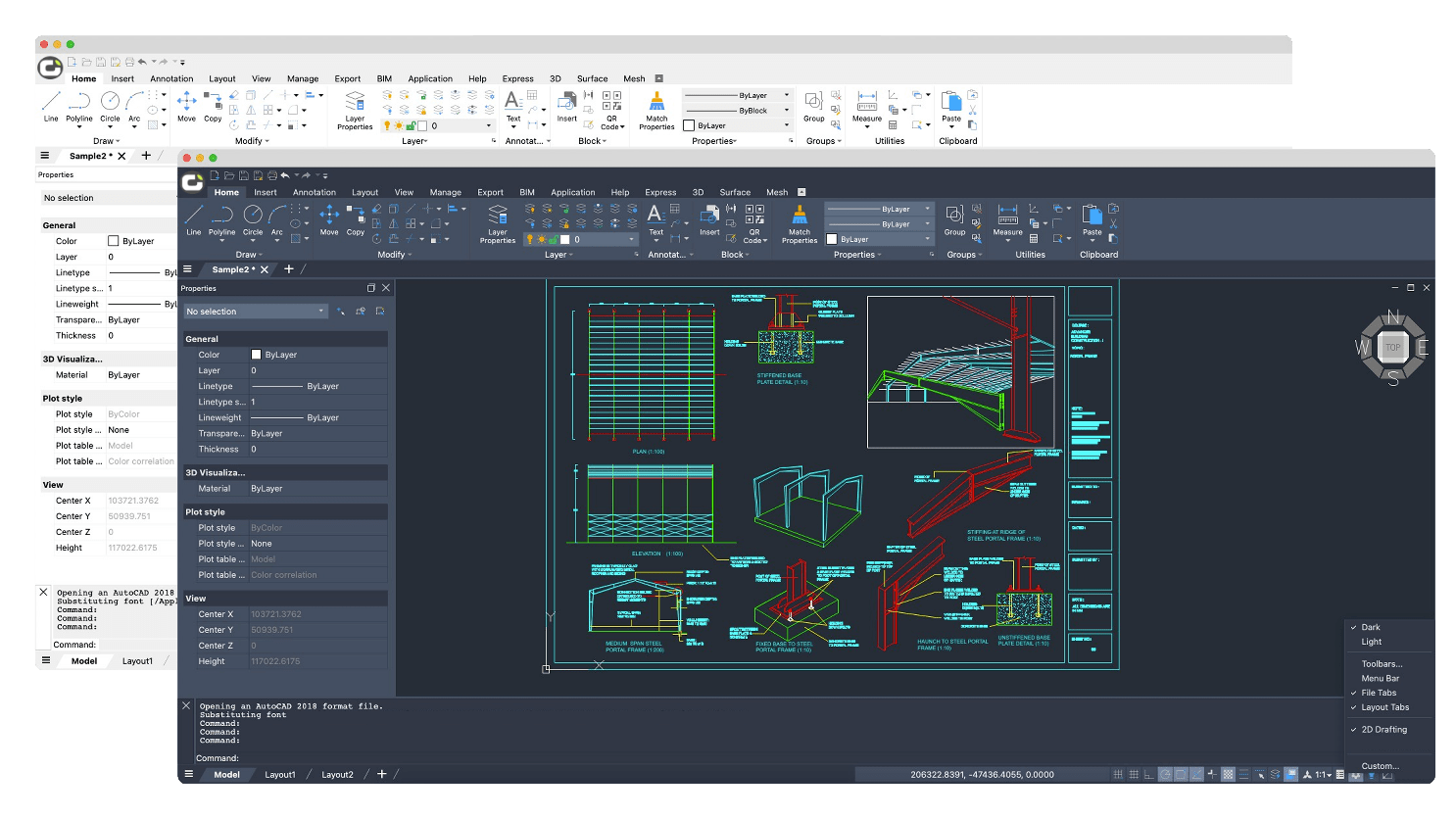
Familiar and intuitive interface
LusoCAD for Mac has a clean and familiar interface, in line with the Windows version, providing a consistent experience across platforms.
Users can switch between light and dark themes, and the 2D Drafting workspace is activated by default, offering an organised layout and quick access to the most used tools.
Theme and workspace preferences can be adjusted via the settings menu located in the bottom right-hand corner of the interface.
Robust functionalities for professional workflows
With more than 760 integrated commands, LusoCAD for Mac offers a comprehensive set of tools for:
- File management
- 2D drawing and editing
- Visualisation control
- Formatting
- Annotation
- Plotting
- And much more
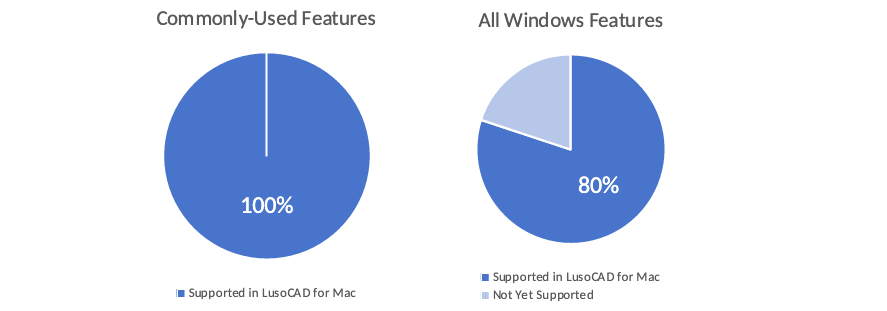
This version already covers around 80% of the features available in the Windows version, with continuous updates planned to reduce the gap even further.
Outstanding Performance
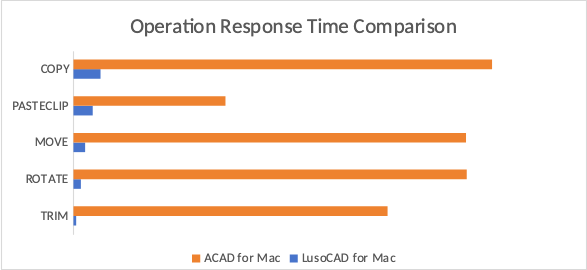
Performance tests carried out on more than 1,500 drawings show that LusoCAD for Mac offers impressive results:
- Average opening time: 2.08 seconds
- Average recording time: 0.63 seconds
Everyday operations - such as copying, moving, rotating, pasting and trimming - perform significantly better than alternatives such as ACAD for Mac.
Memory efficiency is also a strong point:
- Average memory usage: 596 MB
- Less than half the consumption of ACAD for Mac (average 1287 MB)
This translates into smoother designs, faster workflows and greater stability, even on large or complex projects.
Flexible Licensing Options
A free 30-day trial period is available to all new users.
LusoCAD for Mac comes in two versions:
Standard Edition
Ideal for general technical drawing and drafting tasks.
Professional Edition
Includes advanced features such as:
- Statistics and Sums
- Dynamic Blocks
- 3D modelling and editing
- Importing and Exporting 3D Files
- Rendering
- Lighting and Materials
Activation is carried out via a Licence Key, with support for Standalone and Network licensing.
Customisation and Extensibility
LusoCAD for Mac allows advanced customisation via the APPLOAD command, making it possible to integrate LISP and GRX-based programs, allowing you to expand functionalities or adapt the environment to the needs of each user.
Constantly evolving
LusoCAD for Mac is currently under active development, with the aim of achieving full functional alignment with the Windows version. Future updates will include:
- Support for subscription licensing
- Additional features
- Continuous performance optimisations
Conclusion
The launch of LusoCAD for macOS represents an important milestone for CAD professionals using macOS. With a familiar interface, outstanding performance, comprehensive features and continuous development, LusoCAD for Mac is positioned as a powerful and reliable solution, ready to meet the demands of modern workflows.

 English
  Portuguese
  Spanish